
Ever wondered why your internet suddenly stops working even though your WiFi icon still shows full bars? Or why does your streaming app buffer while someone else in the house is gaming? Many home internet problems come down to one simple question: modem vs router — what’s the difference?
A lot of people use these terms interchangeably, but they actually do very different jobs in your home network setup. Understanding how they work can help you fix slow internet, improve WiFi coverage, and choose the right internet equipment for your home.
In this blog, we’ll cover the difference between a modem and router, how they work together, whether you need both devices, modem-router combo options, home WiFi setup tips, ISP compatibility, and how to choose the best setup for streaming, gaming, remote work, and everyday internet use.
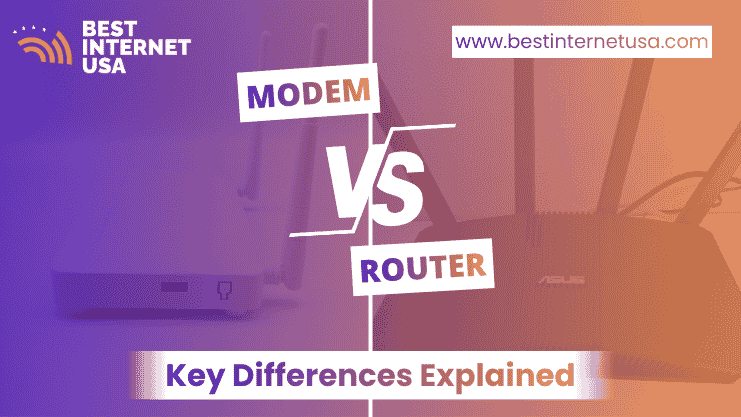
The main difference between a modem and a router is simple: A modem connects your home to the internet, while a router distributes the internet connection to your devices. Without a modem, your home cannot access the internet from your ISP. Without a router, only one device could usually connect directly to the internet at a time.
Feature | Modem | Router |
Main job | Connects to ISP | Creates a home WiFi network |
Internet access | Yes | No (without modem) |
WiFi capability | Usually no | Yes |
Connects devices | Limited | Multiple devices |
Uses a WAN connection | Yes | Yes |
Uses LAN ports | Sometimes | Yes |
Needed for home WiFi | Yes | Yes |
Think of it this way: The modem is the “bridge” to the internet & the router is the “traffic controller” inside your home.
A modem is a networking device that connects your home to your internet provider’s network. It translates signals from your ISP into internet access that your devices can use.
How a Modem Connects You to the Internet
Your ISP sends internet signals through cable, fiber, DSL, or satellite lines. The modem receives those signals and converts them into digital data for your home network.
Different types of broadband internet use different modem technologies:
For example, if you subscribe to a fiber internet plan, the modem-like device converts light-based fiber signals into usable internet data.
Role of ISP in Modem Connection
Your modem must be compatible with your ISP. Popular providers like Spectrum, AT&T, Frontier, and Optimum often provide gateway devices or approved modem lists.
If you’re comparing internet providers, it’s important to check modem compatibility before purchasing your own equipment. You can also contact our team today to explore internet availability in your area and find the right broadband setup.
A router is the device that creates your home WiFi network and allows multiple devices to share one internet connection.
How a Router Creates Your Home WiFi Network
Once the modem brings internet into your home, the router shares that connection with different devices. It allows smartphones, laptops, smart TVs, gaming consoles, tablets, and other smart home devices to connect to the internet at the same time.
It manages traffic between devices and helps prevent network congestion. Modern wireless routers also include: Dual-band or tri-band WiFi, Security firewalls, Guest networks, Parental controls, and Mesh WiFi support.
Wired vs Wireless Connections Explained
Routers support both wired and wireless connections.
Connection Type | Pros | Cons |
Wired Ethernet | Faster, stable, lower latency | Less convenient |
Wireless WiFi | Flexible and convenient | Can slow with distance/interference |
Gamers and remote workers often prefer wired Ethernet for lower latency and better upload speed stability.
Your home internet setup works like a chain.
How Internet Flows From ISP to Your Devices
Here’s the typical setup:
Without both devices working together, your internet setup won’t function properly.
Why Both Devices Are Often Needed
Many people ask: “Do I need both a modem and router?” In most homes, yes. You need a modem for internet access and a router for WiFi and multiple device connections. This becomes especially important for households with streaming TVs, video calls, online gaming, smart home devices & multiple users online at once.
Yes, most households need both devices for complete internet and WiFi functionality.
If you have a large house or need a stronger WiFi signal, then separate modem and router devices are the way to go. They are also good for 4K streaming, online gaming, and working from home because they tend to be more stable. Upgrades and troubleshooting are also easier than with all-in-ones.
If bandwidth is low, everything starts breaking—video quality drops, games lag, and calls disconnect. This is where vs throughput becomes important. Even if bandwidth is high, poor throughput or high latency can still ruin the experience.
A modem-router combo, also called a gateway, combines both devices into one unit. These are ideal for small apartments and for basic internet usage, fewer connected devices and simpler setup needs. They’re easier to install and reduce cable clutter.
Many ISPs provide gateway devices during installation. Examples include:
Some providers charge monthly rental fees for equipment. If you want long-term savings, buying your own compatible modem and router may help. You can compare internet and fiber setup options through Best Internet USA Fiber Internet Resources to find plans that match your equipment needs.
Choosing between combo devices and separate devices depends on your internet habits.
Pros | Cons |
Easy setup | Limited upgrade options |
Saves space | WiFi performance may be weaker |
Fewer cables | Harder troubleshooting |
Lower upfront cost | Less customization |
Pros | Cons |
Better WiFi performance | More expensive initially |
Easier upgrades | More setup steps |
Stronger coverage | Takes more space |
Better for gaming/streaming | More cables |
For larger homes and high-speed fiber internet, separate devices usually perform better.
There’s a lot of confusion around internet connection devices.
A modem alone usually does NOT provide WiFi. It only connects your home to the internet.
You still need a router or a gateway device with built-in routing
A router alone cannot provide internet access. It can only create a local network for connecting devices within the home. To access the internet, the router must be connected to a modem and an internet service provider (ISP). That’s why both devices are usually used together in most home networks.
A lot of people pay more for a faster internet plan when their WiFi feels slow. Sometimes it’s not the internet speed that’s the problem.
Weak WiFi signals often happen because of router placement, thick walls, old networking devices, or too many devices using bandwidth at the same time.
For example, if your router is hidden behind a TV or in a corner of the house, your connection may still buffer even with fast fiber internet.
In many homes, moving the router to a central spot can make a bigger difference than upgrading the internet speed. The FCC Broadband Consumer Guide also explains how home network setup affects internet performance.
Not all routers are made for the type of internet use. A basic router might work fine for checking emails or browsing. But big families, gamers, remote workers, and streamers usually need stronger hardware.
Old routers can struggle when many people are streaming in 4K on video calls and gaming at the same time. That’s when buffering, lag, and dropped connections happen.
New routers with WiFi 6 support, better range, and stronger bandwidth management usually work better in busy homes.
A quick restart clears bugs, refreshes the connection to the ISP, and can even improve WiFi stability. It’s one of the fixes for random buffering, slow download speeds, or devices disconnecting from WiFi.
Understanding modem vs router differences makes it a lot easier to set up your home internet.
A modem is what connects your home to your internet service provider. A router creates your WiFi network and manages all the devices that are connected to it. Most homes need to have both for reliable internet access.
If you watch movies online, play games on the internet, work from home, or have a lot of people using the internet at the same time, choosing the right setup can make your internet faster, reduce buffering, and make your WiFi signal stronger.
Whether you choose a modem and router combination or separate devices depends on your home size, what kind of internet plan you have and what you need in terms of performance.
Our Support Team can help you upgrade your broadband connection and explore fiber internet plans. You can compare providers, check the availability of internet, and find out what setup is best for your home.
No. A modem connects your home to the internet provider, while a router creates your home WiFi network and connects multiple devices. Most homes need both devices for complete internet access.
Yes. In most cases, you need a modem for internet access and a router for WiFi connectivity. Some gateway devices combine both functions into one unit.
You can use a router to create a local network between devices, but you won’t have internet access without a modem or another internet source.
A gateway device is a modem-router combo that combines internet connection and WiFi functionality into one device. ISPs commonly provide these during installation.
Buying your own equipment can save money over time and offer better performance. Renting may be easier for beginners who want technical support and simple setup options.
We help you compare internet companies in USA and find best internet plans near you.
Best Internet USA
Copyright © 2026 All rights reserved.