
Have you ever looked at your internet plan and thought, “I’m paying for high speed… So why are my downloads still slow?” Or maybe you caught yourself wondering, what’s the difference between megabits and megabytes?
Most people don’t notice the difference between “Mb” and “MB.” Honestly, it’s easy to miss. But that tiny letter changes everything. It’s the reason your internet feels slower than you expected, even when your provider says you have “fast speed.”
In this blog, we will talk about what bits and bytes are, how we measure internet speed, why it takes a long time to download things, and how to pick the right speed so we do not pay too much.
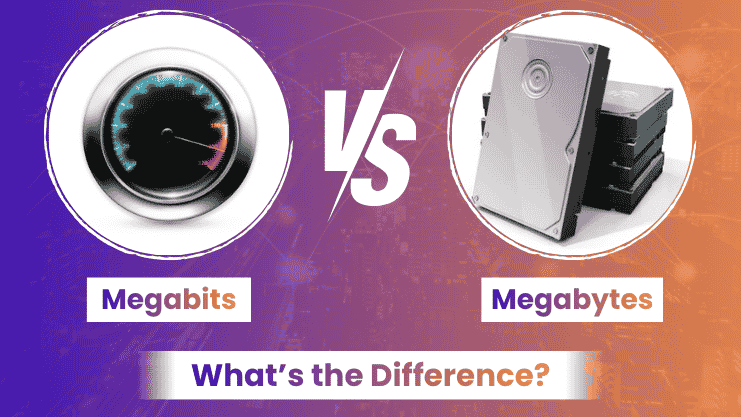
Instead of jumping into technical definitions, let’s keep it easy and simple. A bit is the smallest piece of data. A byte is a group of 8 bits. That’s it. This is the rule that everything is based on.
Now here’s where people get mixed up. Internet speed is measured in megabits per second. Files like videos, apps, or photos are measured in megabytes. So when we download something, we are using two systems. That is why our internet speed never feels like the speed we paid for.
This is where frustration usually starts. You see a plan that says 100 Mbps and think everything will download instantly. Then a 100 MB file still takes time to download. That does not feel right, does it?
The reason is simple. You are comparing speed with size. Since 1 byte equals 8 bits, your actual download speed is much slower than what you see.
This confusion gets much easier to understand when you learn about the difference between bandwidth and internet speed. It clearly explains why download speeds do not always match what providers advertise.
When a provider says “100 Mbps,” they’re talking about how fast data moves—not how big the data is. Think of it like water flowing through a pipe. Mbps is the flow speed. But if you’re filling a big tank (your file), it still takes time. That’s what data transfer rate really means. It’s not about instant results. It’s about how quickly data keeps moving.
Let’s make it real with a simple example. If you download a 200 MB file on a 100 Mbps connection, it won’t take 2 seconds. It will take longer—closer to 15–20 seconds depending on conditions. That’s because download speed vs file size are two different things working together. And honestly, once you understand the relationship between download speed vs file size, a lot of frustration disappears.
This is probably the most important distinction. Mbps (small “b”) is what providers advertise.
MBps (capital “B”) is what you actually experience during downloads. To convert, you divide by 8. So 100 Mbps becomes about 12.5 MB per second in real use. That’s the true meaning of Mbps vs MBps, and it’s why expectations often don’t match reality.
People often say “speed” when they actually mean bandwidth. Bandwidth is the maximum capacity of your connection. Speed is how fast data actually moves at any moment. A good way to think about it: bandwidth is like the width of a road, while speed is how fast cars are moving. Understanding bandwidth vs speed helps you choose better plans instead of just chasing bigger numbers.
Now let’s bring this into real life. Streaming videos, joining video calls, or playing online games all depend on your connection. But not in the way most people think.
For example, HD streaming doesn’t need extremely high speed. But multiple users at once do. That’s where network data rate matters.
It’s not just about speed—it’s about how that speed is shared.
Here’s the part most people care about. Do you really need 500 Mbps? Or is 200 Mbps enough?
The answer depends on your usage. A single user browsing casually doesn’t need ultra-high speed. But a household with multiple devices streaming at once does. If you’re unsure, platforms like Best Internet USA help simplify the process.
Compare plans easily with fiber internet options near you. They help users across the USA find plans that actually match their needs—not just marketing numbers.
Once you understand megabits and megabytes, gigabits and gigabytes are easy.It’s the same concept, just on a larger scale.
Gigabits measure speed. Gigabytes measure storage. And again, that same rule applies: 1 byte equals 8 bits. That’s why gigabits vs gigabytes follow the same pattern.
This isn’t just technical stuff. It affects how you choose your internet plan, how you understand your bills, and how you manage your expectations.
Once you understand the difference, you stop overpaying and start making smarter decisions. You also get a better sense of real data usage calculation and performance.
At first, the difference between megabits and megabytes feels like a small technical detail. But once you really understand it, everything clicks. You realize why downloads take time, why speeds feel different, and how internet plans are actually structured.
And honestly, that clarity makes a big difference. It helps you choose better, spend smarter, and avoid unnecessary frustration. Understanding What’s the Difference Between Megabits and Megabytes is not just useful—it’s something every internet user should know.
No, they measure different things. MB is file size, Mbps is speed.
router for internet access.
1 MB equals 8 Mbps.
It depends on how many devices you use and your internet habits.
Yes, for most households, that’s more than enough for streaming and browsing.
We help you compare internet companies in USA and find best internet plans near you.
Best Internet USA
Copyright © 2026 All rights reserved.